Real-time production monitoring
Are you still using Excel, paper forms or manual calculations for production reporting? These methods no longer meet the demands of modern manufacturing. Our industrial monitoring system provides fully automated data collection directly from the machines. It records the number of parts produced, scrap rate, availability, OEE and other key production parameters in real time. Thanks to integration with information systems, it automatically generates reports and analytical outputs without manual entry or operator intervention. This eliminates human error, speeds up the flow of information and saves significant time across the entire production process.
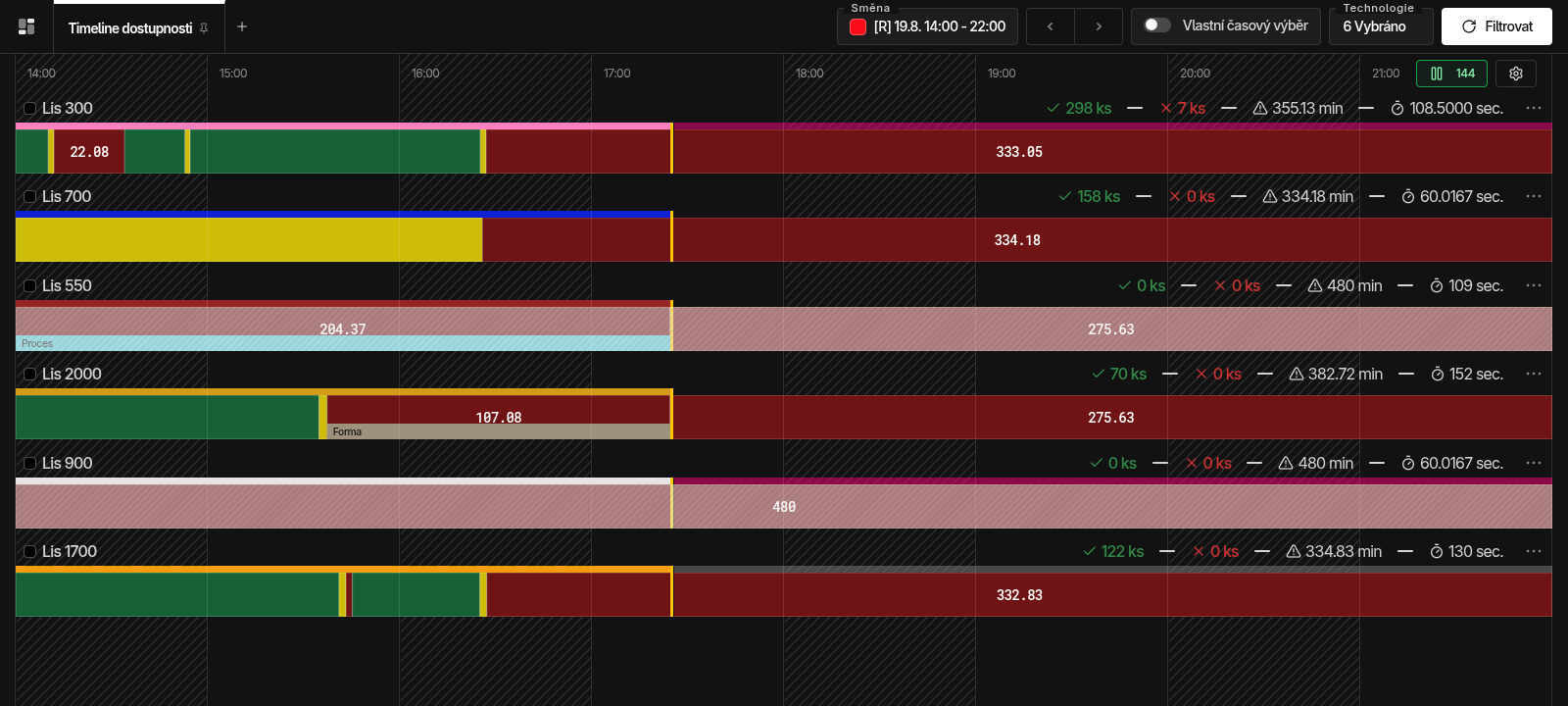
Real-time timeline
All data is available in real time — all you need is to be online. On any device with internet access, you always know what is happening in your production right now. Whether you are in the office, at home or on a business trip on the other side of the world, you have your production under control in real time. Every customer has specific requirements, which is why we design overviews and reports tailored to you. Thanks to this individual approach, we can adapt the outputs to fully match the needs of each user and ensure their maximum satisfaction.
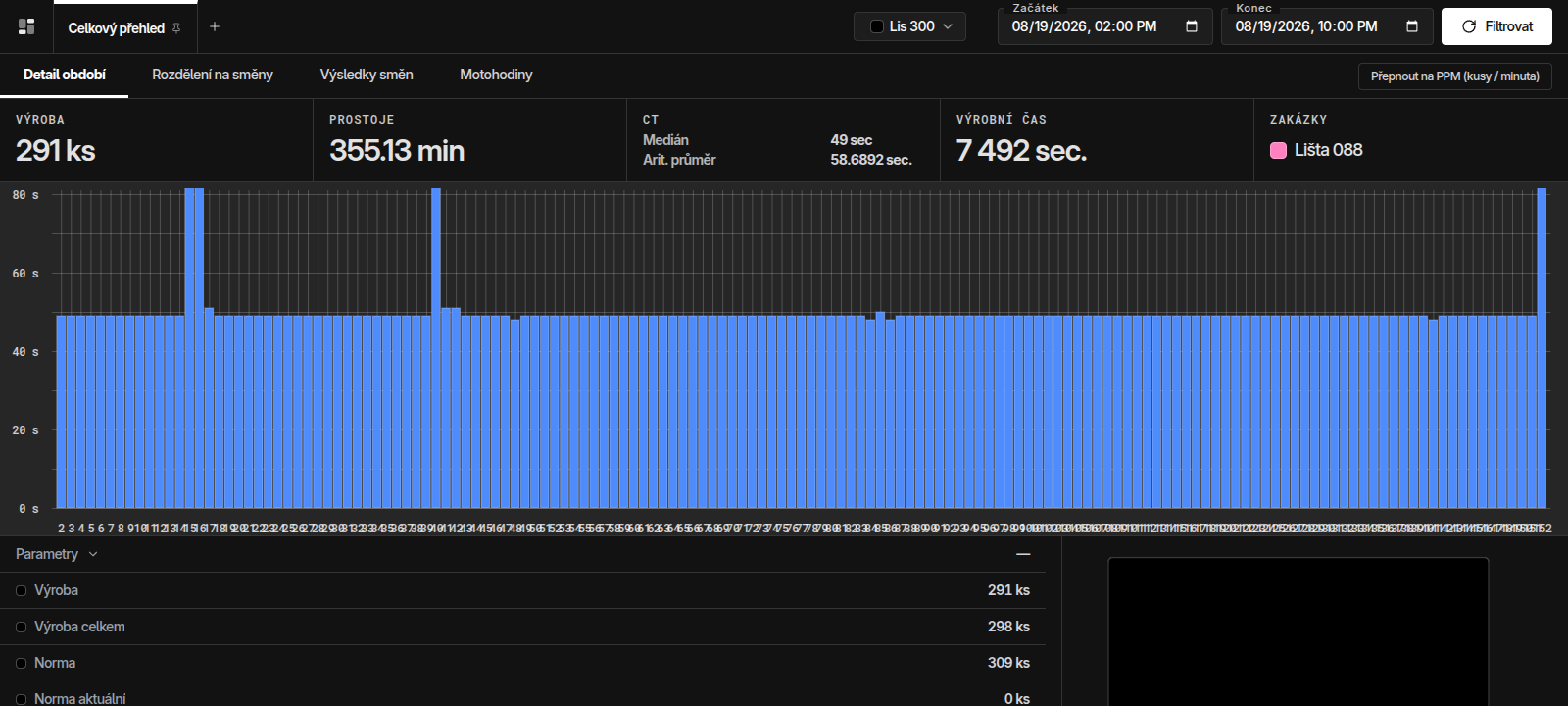
Machine performance (PPM)
Get an accurate picture of the actual speed and smoothness of production. Conventional downtime tracking shows you when a machine stops. The Machine performance module (PPM / cycles per minute), however, goes much deeper. With a detailed real-time cycle chart, you can easily uncover hidden performance losses and inefficiencies that often go unnoticed in regular monitoring or standard reports. Even if a machine appears to be "running" at first glance, it may not be working at full capacity. A detailed analysis of cycles per minute shows exactly whether the machine is reaching its optimal production cycle time. Speed Loss detection: instantly identify situations where a machine is not reaching optimal speed and the production pace slows down.
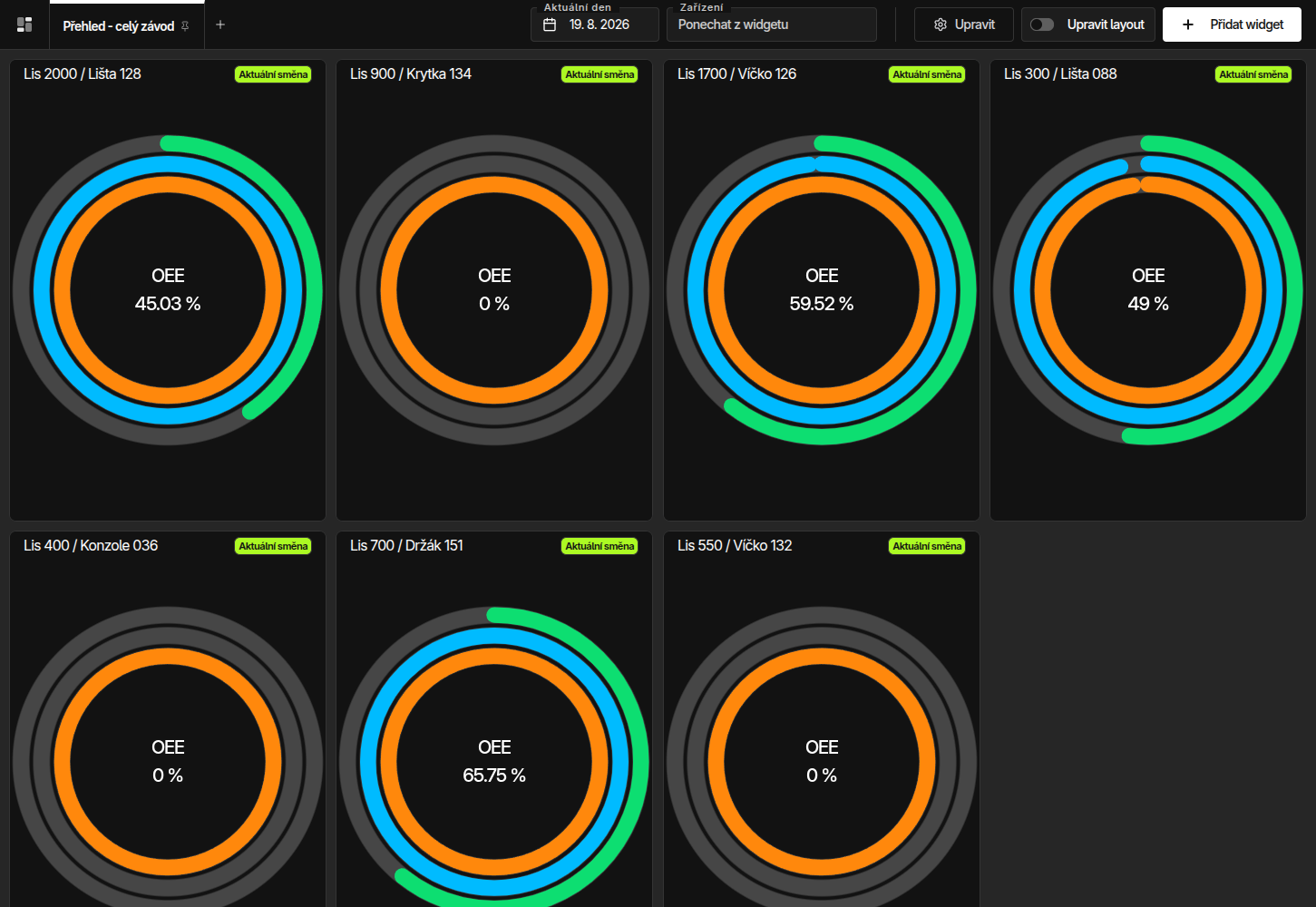
Tile cards
Get an instant overview of the efficiency of your entire production on a single screen. This module gives you clear cards for each machine that visualise its current condition and performance in real time. No more digging through reports — the key data is always in front of you. Instant colour warnings: colour-coded indicators alert you immediately if any parameter drops below the required level. Manage production based on real data. Monitor performance, uncover bottlenecks and respond to emerging problems before they affect plan fulfilment.
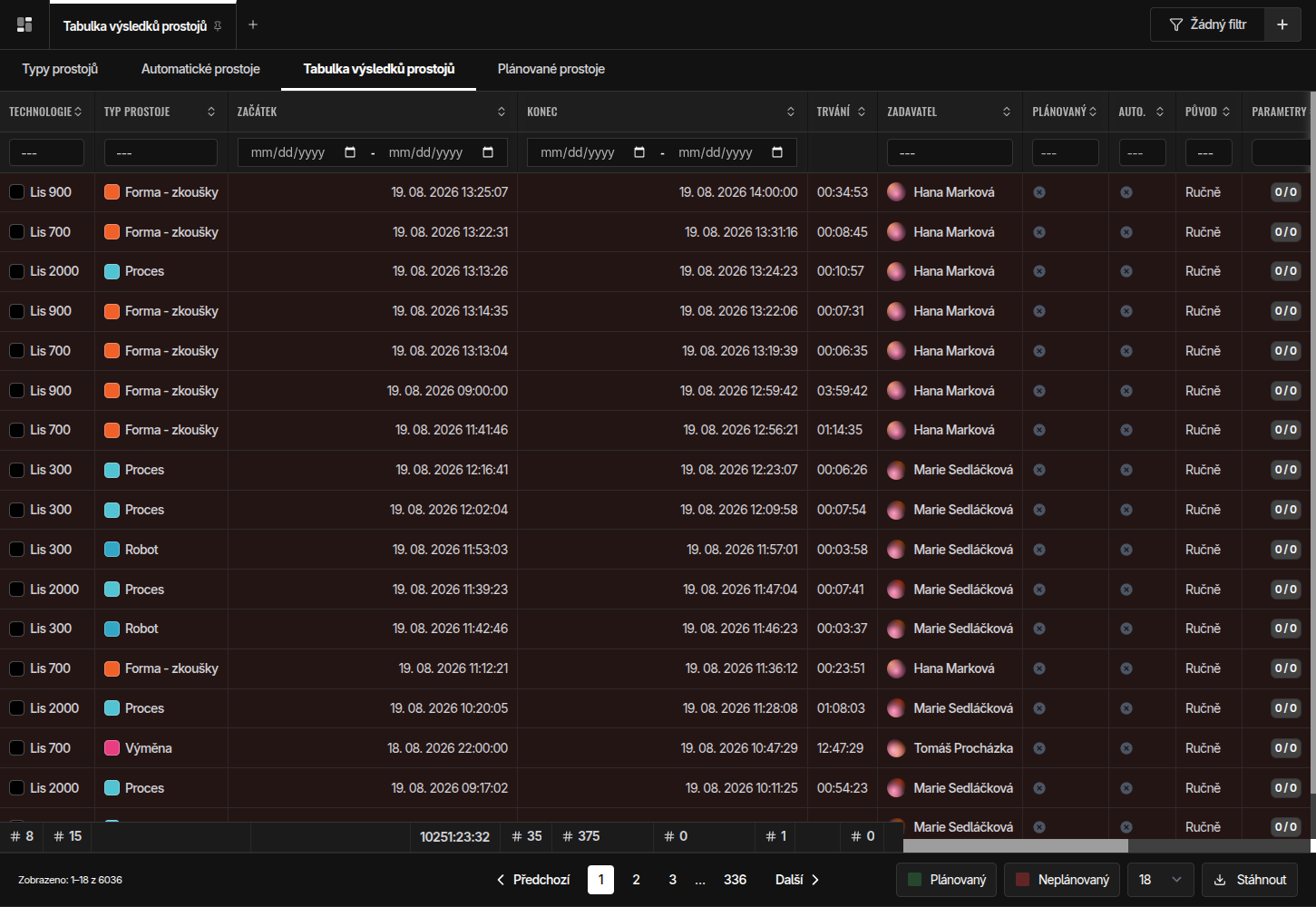
Downtimes
Identifying downtimes is a key step in optimising the production process. The monitoring system gives you detailed information about the frequency, duration and causes of individual downtimes. Working with downtimes involves three basic steps: identifying the downtime itself, increasing motivation to reduce downtimes, and checking compliance with the measures put in place.
More about downtimes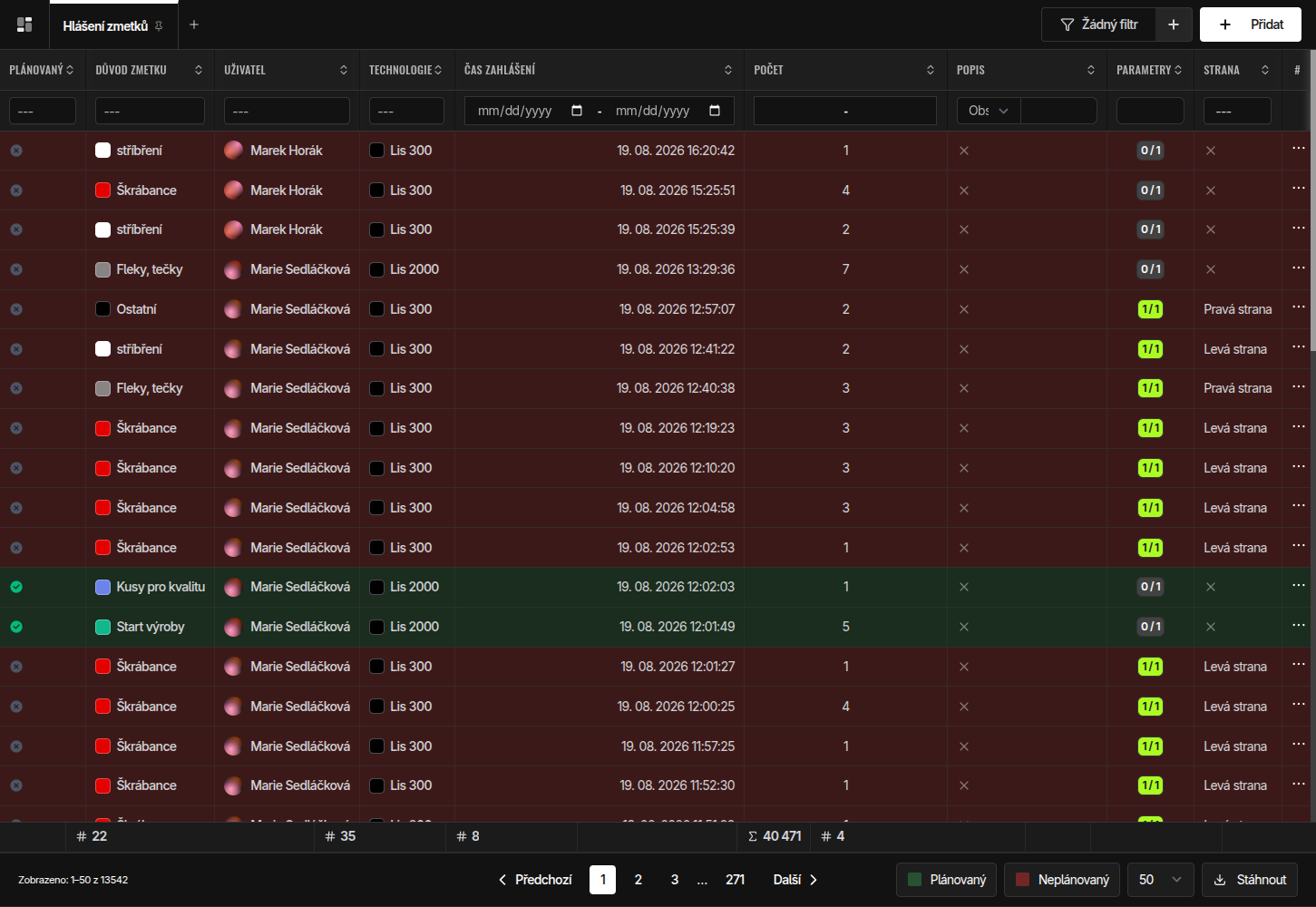
Scrap
Quality monitoring is another essential step in automated production data collection. It enables continuous tracking and evaluation of production quality in real time, which helps to quickly identify deviations, reduce scrap and maintain a stable level of final inspection. Thanks to integration with production systems, the results of measurements, inspection operations or visual inspections can be recorded automatically, without manual entry, ensuring maximum accuracy and completeness of data.
More about quality tracking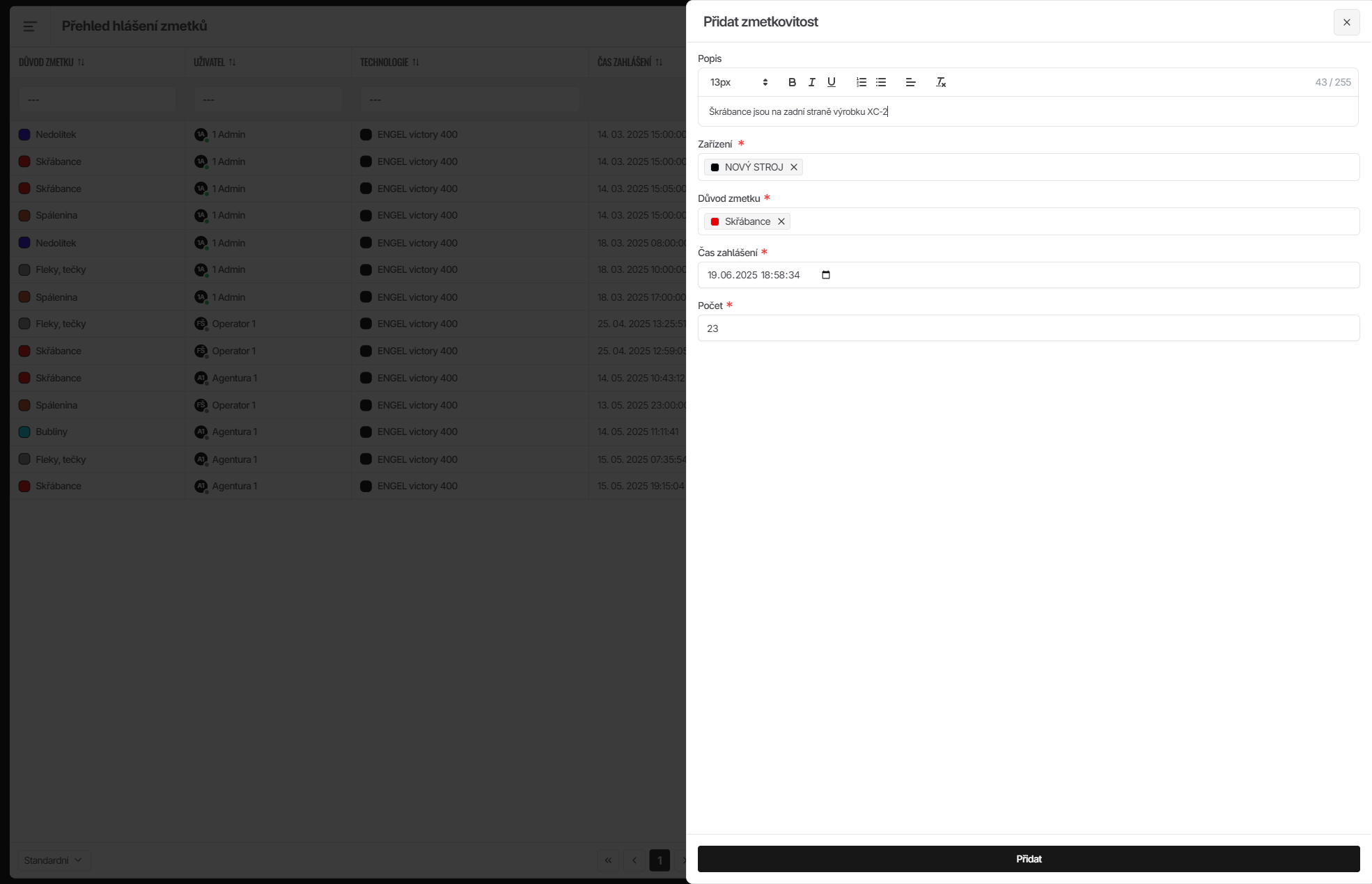
Defect catalogue
Standardise quality control and eliminate errors when assessing non-conforming products. No more guessing on the shift whether a part is still within tolerance, can be reworked or must be scrapped. The defect catalogue works as a clear digital library available right on the shop floor, giving operators and quality staff an immediate answer and a clear procedure for resolving a specific non-conformity. A quick visual comparison of the product with photo documentation directly on the screen at the machine makes it easy to identify the defect reliably. The operator immediately learns why the defect occurs, how to recognise it and how to respond correctly. The catalogue also includes clear instructions for the next steps and recommendations on how to adjust machine parameters or the process so that the same error does not recur. The result is faster and more consistent decision-making, fewer errors in quality control and more effective handling of non-conformities right on the shop floor.
Operator panel
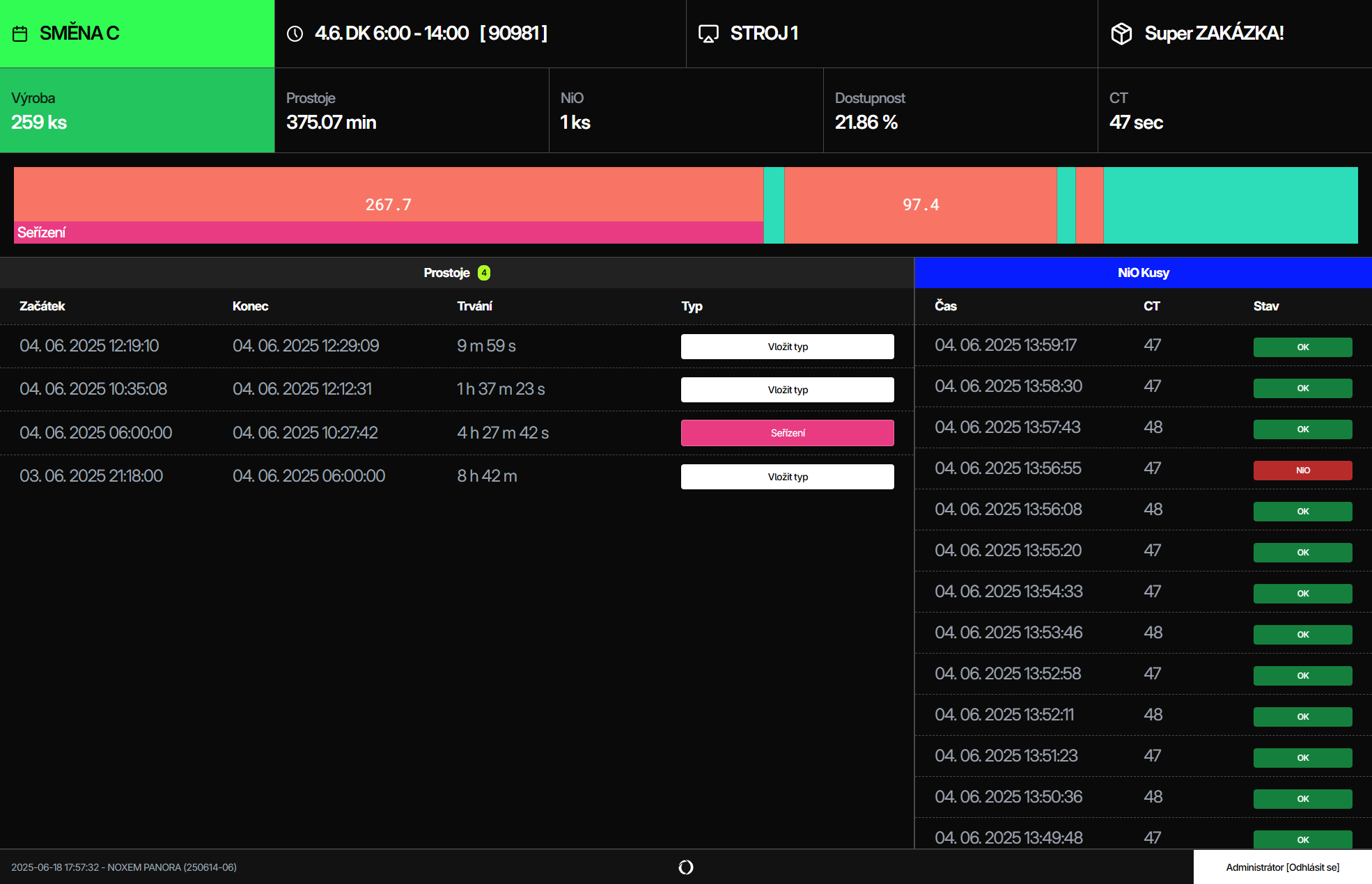
We designed the operator panel with an emphasis on maximum simplicity, speed and user comfort, so that working with it is as efficient as possible and does not burden the operators unnecessarily. The main function of the panel is quick and easy entry of downtime and scrap types, right during production. The whole process is optimised so that an operator can enter a downtime in literally three taps on the touch screen. Each user has their own unique PIN code, which is automatically generated and assigned when they are added to the system. The panel also enables tracking the performance of individual workers, opening the way to objective performance evaluation, fair remuneration and a transparent bonus system.
More about the operator panelI will be glad to show you how our solution works and how we can boost the efficiency of your production, too. Book a meeting
+420 608 464 716
jochec@noxem.cz