MES system for production monitoring: we monitor production, boost efficiency and save money.
NOXEM is a simple MES system for real-time production monitoring that uses IoT machine data collection to uncover downtime and boost operational efficiency – manufacturing digitalisation without paperwork. Accurate production and planning data are always at hand in our clear, in-house developed web application. The system also tracks energy consumption online and alerts you in time when maintenance is due.









Every feature.
No exceptions.
Production Monitoring
Live shop-floor data — cycle by cycle, piece by piece.
Planning
Capacity you see ahead — not in hindsight.
Reporting
OEE, MTBF, MTTR and a history you can interpret yourself.
Maintenance (CMMS)
From a reported breakdown to the cost of repair.
Traceability
What was made from what — traceable in seconds.
Employees
Who, when and where — shifts, absences and people's skills.
System
Permissions, notifications, audit — with no limit on the number of users.
Production Monitoring
Live shop-floor data — cycle by cycle, piece by piece.
Real-time timeline
Live visualisation of machine states second by second, with downtimes as clickable blocks.
Machine performance (PPM)
A cycles-per-minute chart reveals slowdowns and micro-stops that never show up as a stop.
Tile cards
An overview board for a large shop-floor screen — pieces vs. target, OEE, machine status.
Downtimes
Automatic downtime detection, manual classification and planned windows (breaks, cleaning).
Scrap
Reporting of NOK parts with categorised reasons and their impact on OEE.
Defect catalogue
A visual library of defects with photos, causes, detection and prevention — fewer misclassified scrap parts.
Operator panel
A touch screen at the machine: downtimes, scrap and order changes straight from the shop floor.
Planning
Capacity you see ahead — not in hindsight.
Products
A product catalogue with cycle times, photos and custom parameters.
Production orders
Specific production on a machine over time — collision checks, QR labels per package.
Production plan + Gantt
A visual schedule of orders across machines with drag & drop.
Shift schedule
Shift templates including weekends, public holidays and exceptions.
Availability planning
Shutdowns, maintenance, changeovers — all reflected in machine capacity.
Reporting
OEE, MTBF, MTTR and a history you can interpret yourself.
Shift detail
What happened during the shift, minute by minute — including a Pareto breakdown of downtimes.
Historian
Production history with configurable metrics — by product, order and period.
Dashboards
Custom boards built from widgets + slideshow visualisations for shop-floor screens.
Management charts
Pareto of downtimes and scrap, OEE trend, output vs. target, hourly performance.
OEE
Availability × Performance × Quality, calculated traceably — including an OEE loss chart.
MTBF / MTTR
Machine reliability and repair time as indicators of maintenance maturity.
Maintenance (CMMS)
From a reported breakdown to the cost of repair.
Requests
List, kanban, calendar and personal view — statuses are calculated automatically.
Preventive maintenance
Automatic task generation based on time, operating hours/strokes and production orders.
Breakdown workflow
A breakdown reported from the panel creates a task, notifies maintenance and measures time to resolution.
Equipment list and machine card
A machine tree with ABC criticality, documents and QR labels for reporting breakdowns.
Predictive alerts
If a breakdown recurs regularly, the system recommends an inspection before the machine stops.
Spare parts warehouse
A rack map with QR locations, minimum stock monitoring and consumption valued at weighted average.
Hall layout
A graphical floor plan of the plant — click a machine to open its card.
Costs
Labour, material and external services for every task; cost centres and suppliers.
Traceability
What was made from what — traceable in seconds.
Batch genealogy
The family tree of every batch: raw materials → semi-finished products → finished goods.
QR scanning
Start and end of every operation with a single scan — even with an ordinary phone.
Routings
Enforced step order and waiting times; plan vs. actual for every batch.
Production layout
A live shop-floor map: where each batch is and where it is being worked on right now.
Employees
Who, when and where — shifts, absences and people's skills.
Employee records
Positions, tags, personal codes and a skills matrix.
Shift staffing
Roles with minimum staffing (also per machine) — understaffing is highlighted right in the plan.
Operator performance
Track and compare the performance of individual operators in one place.
Employee kiosk
With a personal code, employees see their shifts and request time off — no account needed.
People on an order
For every order, you can see who worked on it.
System
Permissions, notifications, audit — with no limit on the number of users.
Users and permissions
Roles and access by team; operators log in with a PIN.
Notifications
E-mail and in-app alerts: breakdowns, deadlines, inactive machines.
Activity log
Audit trail — who changed what and when.
Custom parameters
Metrics with custom formulas and a colour traffic light, e.g. as Historian columns.
Energy metering
Electricity, water and gas consumption by machine and period.
Unlimited users
The price does not grow with the number of people in the system.
Why NOXEM?
Transparent upfront costs
We don’t need your network
Rugged industrial hardware
We are flexible
Simple, fast deployment
No cabling
Clarity and a human approach
Older machines? No problem
How does working with us look?
Step: 1
Online meeting
The first step is getting in touch. This is followed by a video call in which we present the NOXEM application, its features and benefits. We also answer all your questions and get a more detailed picture of your specific use case.
Step: 2
Plant visit
An in-person meeting and pilot setup. At the meeting we take the first practical steps – we connect a pilot solution and start testing in a real environment. This lets the customer verify that it works in practice.
Step: 3
Contract terms
After a successful pilot, we agree together on the final terms of cooperation and proceed to signing the contract.
Step: 4
Solution implementation
Full implementation begins. The customer installs the hardware themselves with our support, keeping everything under control and saving costs.
Step: 5
Operator training
We train the customer's team to work effectively with the NOXEM application. The goal is for users to fully master the system and make use of its potential.
Step: 6
Handover
After successful training and fine-tuning of all details, we hand over system administration to the customer. We remain available for support and further development.
Our happy customers

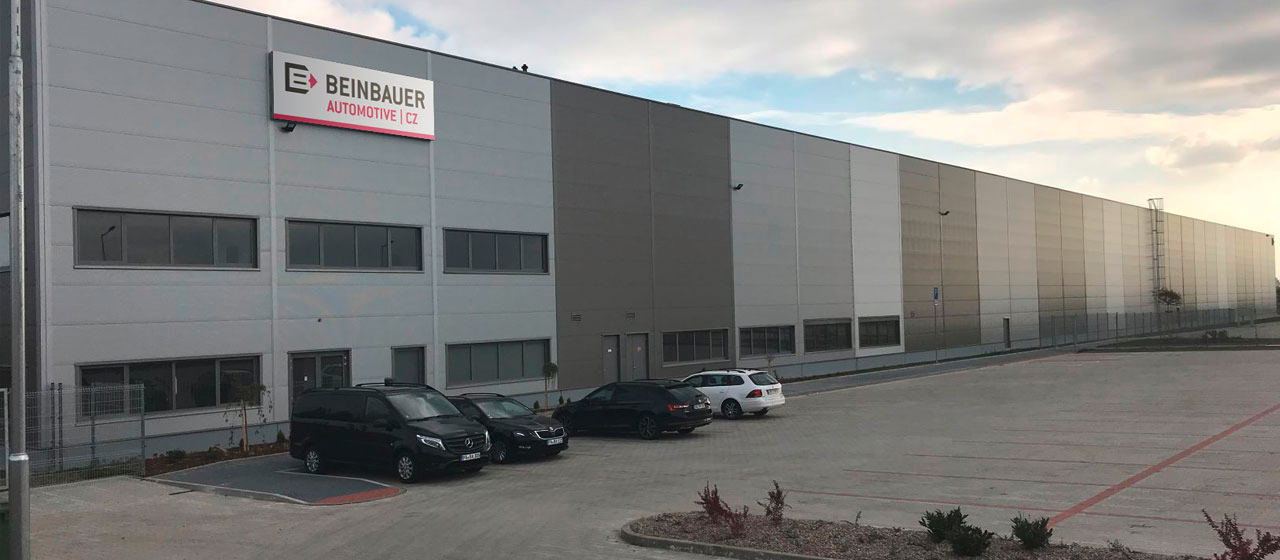
Growing our brand abroad!
Downtime cost calculator
Monthly loss *
0 CZK
With us you save **
0 CZK
*) The loss is calculated as unplanned downtime.**) The percentage saving is based on average dataI will be glad to show you how our solution works and how we can boost the efficiency of your production, too. Book a meeting
+420 608 464 716
jochec@noxem.cz