Downtime tracking in manufacturing
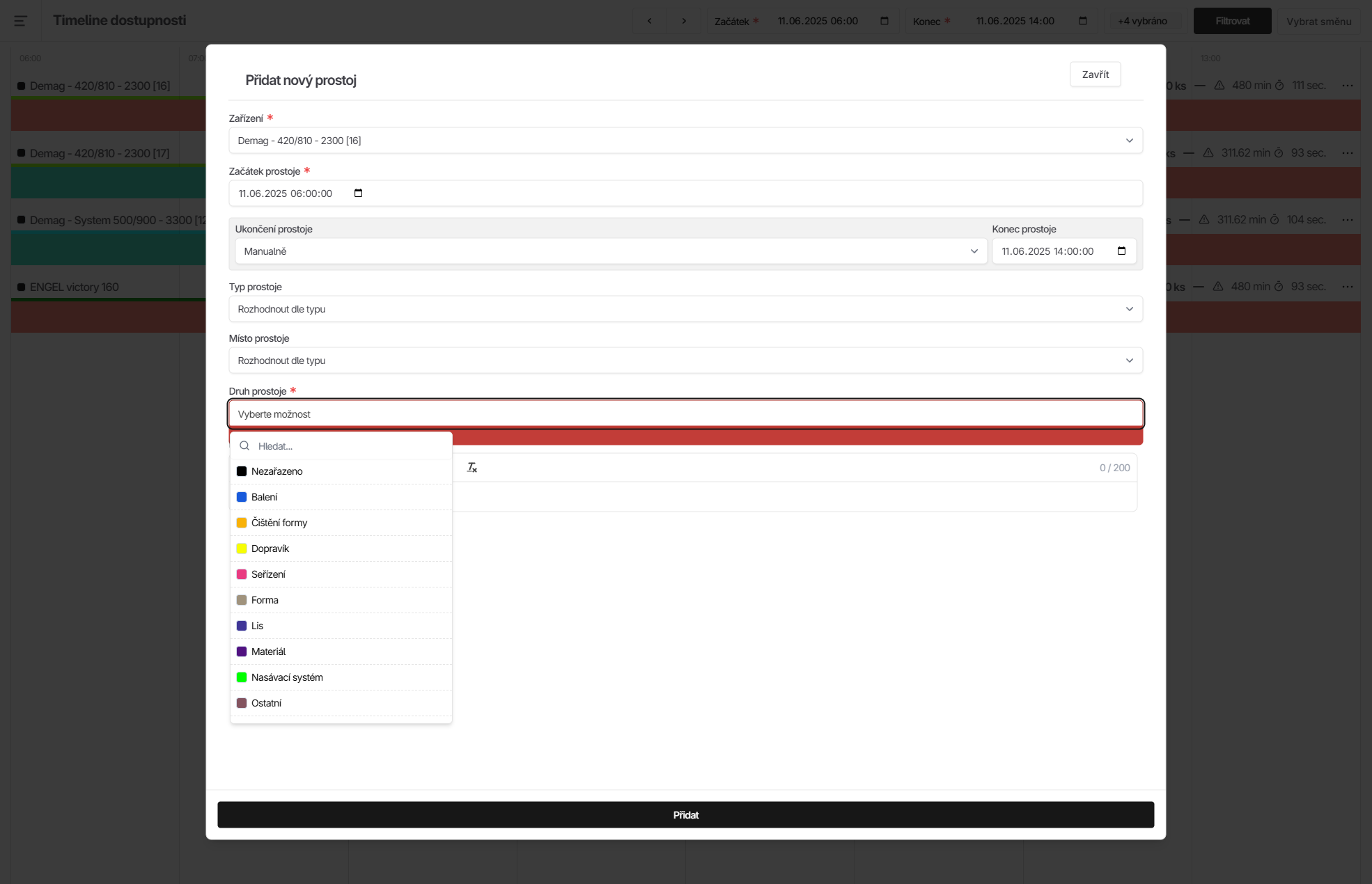
Downtime entry
The start, duration and end of a downtime are recorded automatically. However, each recorded downtime needs a reason assigned to it, such as a breakdown or machine setup. Every customer can define their own list of downtime types. The person responsible for entering downtime reasons, for example the shift supervisor, clicks the red field marking the downtime and then selects and confirms a predefined reason with two more clicks. The system also allows partial automation. For example, downtimes shorter than 2 minutes can be automatically marked as "micro-stops" and recorded without any manual intervention.
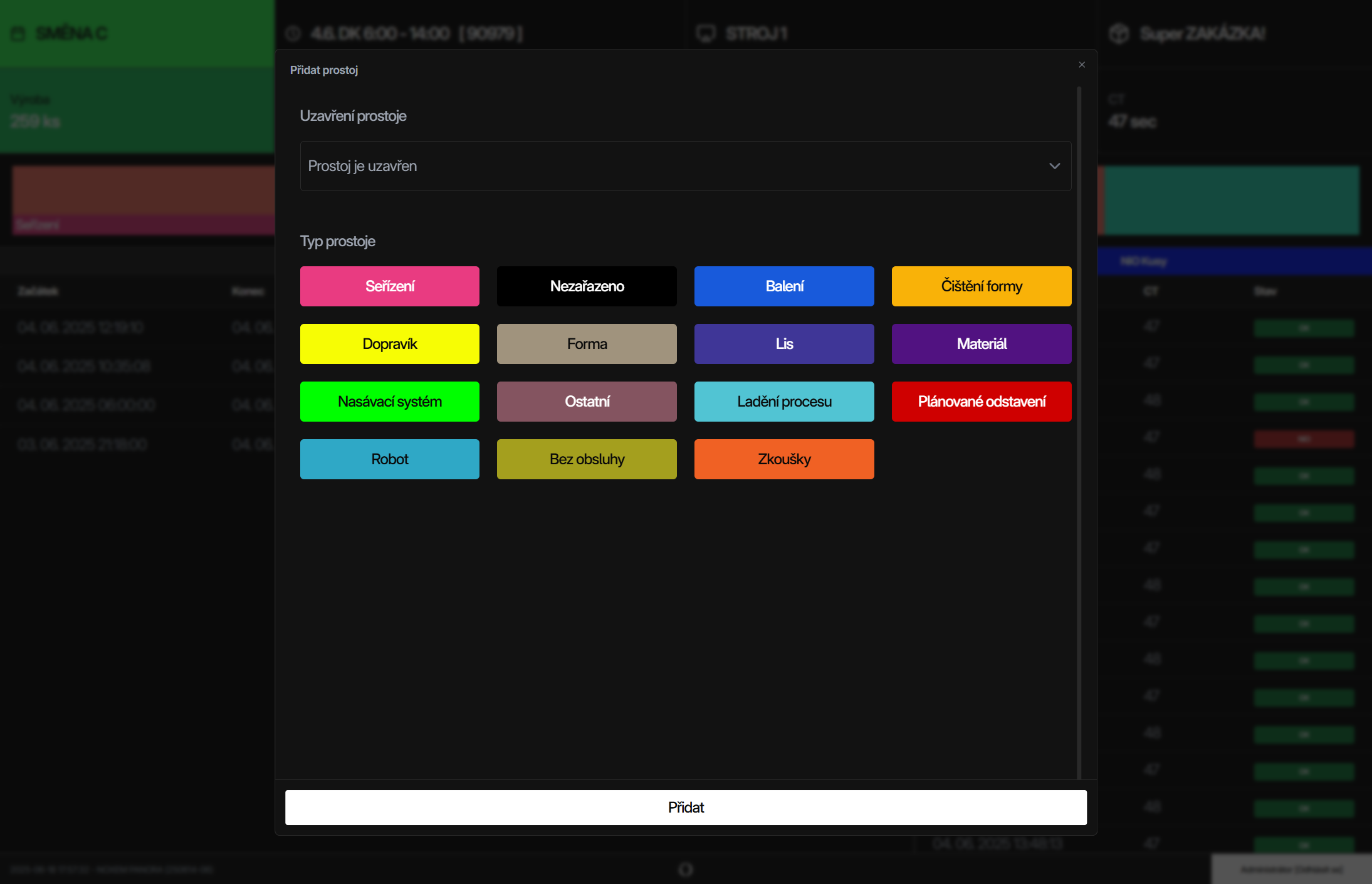
Operator panel
Another way to enter downtime types is through the operator panel. Machine operators have a touchscreen with a simplified interface right on the shop floor. The operator logs in at the start of the shift and can then easily enter downtime types in just two taps. Scrap can be entered through the operator panel in the same way. And because operators log in, we can also track the performance of individual employees.
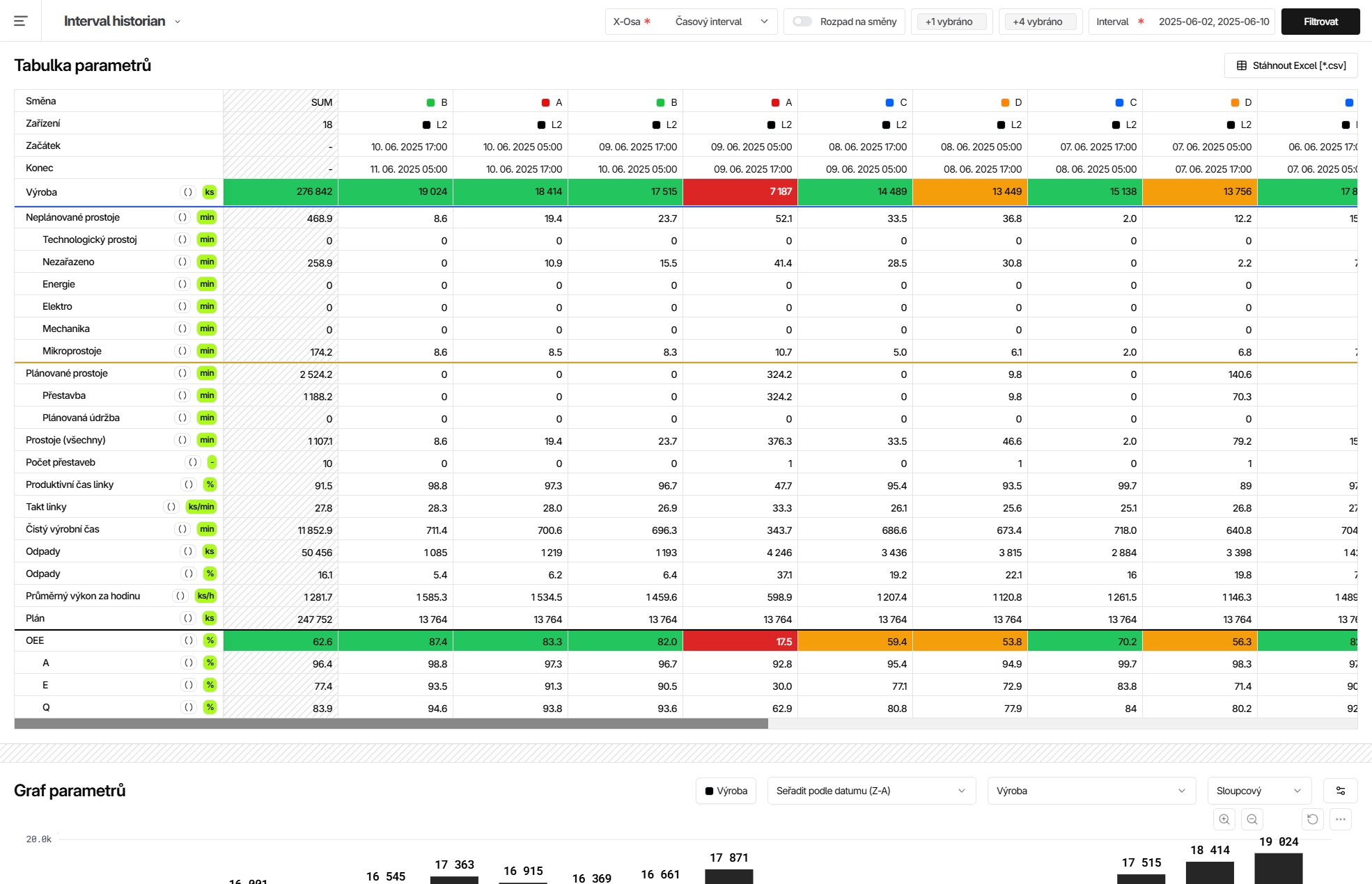
Evaluation
Individual indicators such as the number of parts produced, downtime duration, efficiency (OEE), availability, performance and quality can be compared across different time periods, shifts, employees, machines or orders. All this data is clearly presented in reports, charts and visualisations.